
How to Deep Clean Smart Home Devices Without Damaging Them
We all love our smart home gadgets. They run our lights, play our music, and guard our front doors. But let’s be real for a second. When was the last time you actually cleaned them?
We touch our smart switches every single day. Our smart speakers sit on shelves collecting layers of dust. The video doorbell outside takes a beating from rain, dirt, and bugs.
They get incredibly gross.
But you can’t just grab a bucket of soapy water and go to town on them. They are full of sensitive electronics, tiny microphones, and delicate screens. One wrong move, and you’ve just fried a $200 gadget.
Trust me, you don’t need to be afraid to clean them. You just need to know the right way to do it without causing a total disaster. Let’s talk about how to get your smart home looking fresh and working perfectly.
The Hidden Danger of Liquid Cleaners
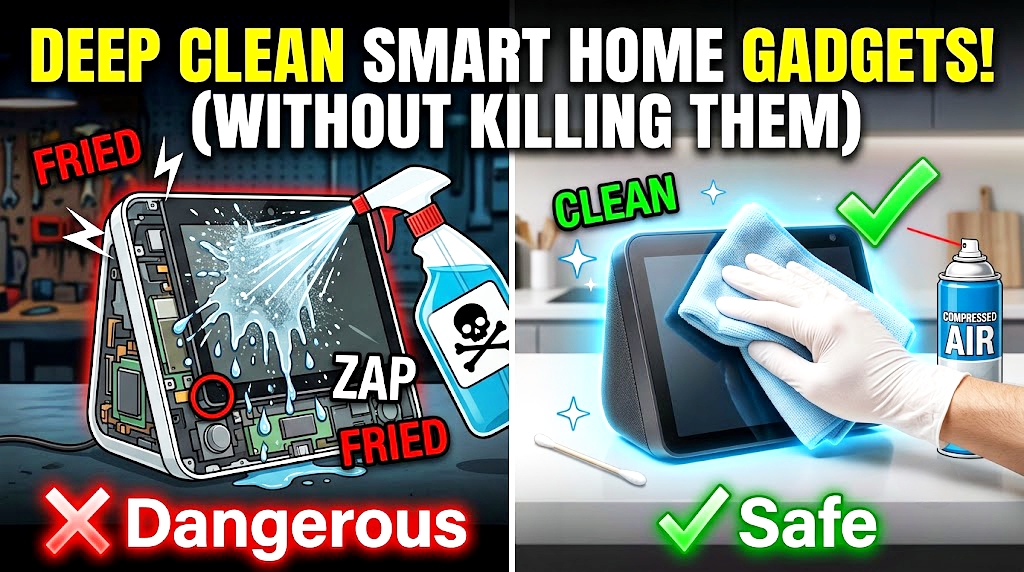
The biggest mistake people make is spraying cleaner directly onto the device. That is a fast track to a dead gadget.
Liquid seeps into the tiny cracks.
Smart speakers have mesh fabric coverings that soak up moisture like a sponge. Touch screens can get ruined if liquid gets under the glass edges.
You need to change how you think about cleaning these things. The goal is to use the bare minimum amount of moisture. Better yet, stick to dry cleaning tools whenever you can. It’s way safer.
The Golden Kit for Tech Cleaning
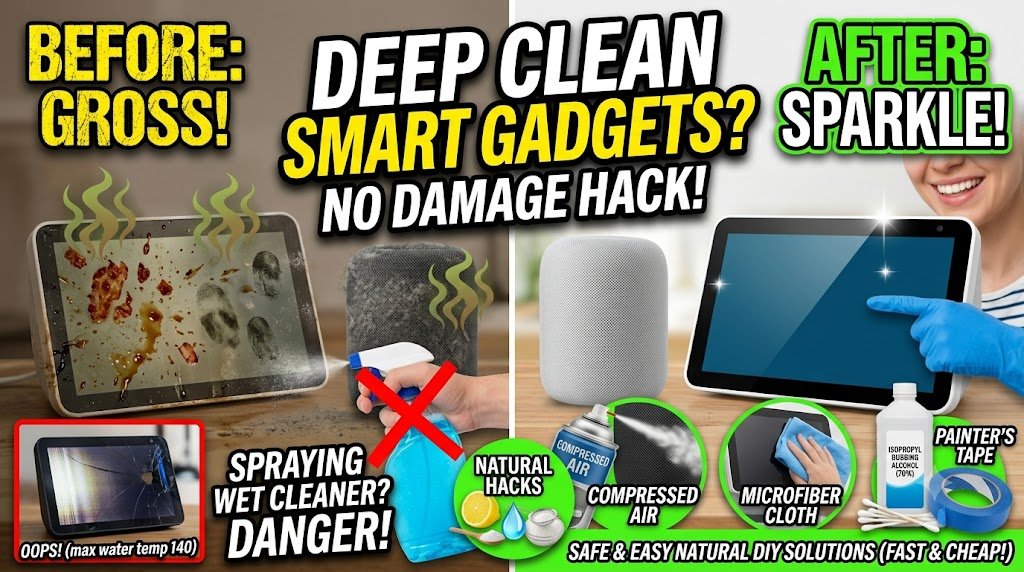
You don’t need fancy, expensive tech sprays. Most of that stuff is just water in a tiny bottle with a high price tag.
Keep your kit simple.
-
Microfiber Cloths: These are non-negotiable. They wipe away grease without scratching screens.
-
Isopropyl Rubbing Alcohol: Get the 70% version. It dries almost instantly, which is exactly what you want.
-
Compressed Air: Perfect for blasting dust out of ports and speaker grilles.
-
Cotton Swabs: These get into the tiny 0.25-inch gaps where dirt hides.
Comparison: The Dangerous Way vs. The Safe Way
| Smart Device | The Dangerous Way (Will Break It) | The Safe Way (Keeps It Alive) |
| Smart Speaker Fabric | Spraying with wet surface cleaner | Vacuuming with brush attachment |
| Touch Screens | Wiping with rough paper towels | Gently rubbing with microfiber |
| Charging Ports | Poking with a metal paperclip | Blasting with compressed air |
| Outdoor Cameras | Hose spraying or heavy window spray | Wiping with damp microfiber + water |
My Biggest “Oops” Moment with a Smart Display
I’m gonna tell you a story about how I completely ruined a brand new smart display in my kitchen. I was cooking bacon, and grease splattered all over the screen. It looked terrible.
I grabbed a bottle of heavy-duty glass cleaner and blasted the screen.
I didn’t think twice about it.
The liquid immediately ran down the screen and pooled right in the tiny seam at the bottom edge. Within ten seconds, the screen started flickering like crazy. The internal temperature sensor went nuts, reading a fake 140 degrees, and then the whole device just went black. It was dead.
I learned the hard way that liquid is the ultimate enemy.
Here is the hack I discovered instead: If you have greasy smudges or sticky stuff on a screen, never spray it. Take a piece of regular blue painter’s tape. Press it gently onto the sticky spot or the edges of the screen, and pull it back. It lifts sticky food residue and thick dust right off the device without using a single drop of liquid. It’s perfect for cleaning those tight gaps along the bezel.
Step-by-Step Guide for Smart Speakers
Smart speakers like your Echo or Nest Audio are dust magnets because of their fabric covers. Here is how to clean them safely.
-
Kill the power: Always unplug the device before you start. No exceptions.
-
Vacuum the dust: Use your vacuum cleaner on its lowest power setting with the soft brush tool. Gently run it over the fabric to suck out the loose dust.
-
Tackle the spots: If there is a stain on the fabric, damp a microfiber cloth with just water. Squeeze it until it’s barely damp. Blot the stain gently. Do not scrub.
-
Let it dry: Leave the speaker unplugged for at least an hour to make sure any hidden moisture is totally gone.
Cleaning Your Outdoor Smart Cameras and Doorbells
Outdoor gear takes a ton of abuse from the weather. The lenses get covered in water spots and spiderwebs, which ruins your video quality at night.
You’ve gotta keep the lens clear.
Don’t use harsh glass cleaners on camera lenses. Most of them have special coatings that chemicals can strip away. Just use a dry microfiber cloth to wipe the lens in a circular motion.
For the plastic body of the doorbell, use a cotton swab dipped in a tiny bit of rubbing alcohol to clean around the button. People press that button with dirty hands all day long, so it’s crawling with germs. The alcohol sanitizes it and dries up in seconds.
FAQ: Keeping Your Smart Home Safe
Q: Can I use disinfectant wipes on my smart switches?
A: Yes, but squeeze the wipe out first if it feels dripping wet. You don’t want liquid running behind the wall plate into the electrical wires.
Q: How do I get dust out of the tiny microphone holes?
A: Use a can of compressed air. Hold it a few inches away and spray in short bursts. Never stick a toothpick or needle in there, or you’ll puncture the mic.
Q: Is it okay to use fabric refresher spray on speakers?
A: No way. Those sprays leave a sticky residue behind that actually attracts more dust over time. Stick to a vacuum.
Q: How often should I clean my devices?
A: Give them a quick dust once a month. For things you touch constantly, like smart remotes or switches, a quick wipe every two weeks is best.
Q: My smart plug looks discolored, can I clean it?
A: If a plug looks yellow or brown near the outlets, that might be heat damage, not dirt. Throw it away immediately. It’s a fire hazard.
Q: Can I use a hair dryer to dry a wet device?
A: Don’t do it. The hot air can melt the glue inside or damage the delicate screen pixels. Just let it air dry naturally.
Q: What’s the best way to clean a smart thermostat?
A: Since they sit on the wall, just wipe the outer ring and face with a dry microfiber cloth. Don’t spray anything near the wall interface.
Q: How do I clean the charging pins on a robot vacuum dock?
A: Use a dry cotton swab or a clean pencil eraser. Gently rub the metal pins to remove the oxide buildup so it charges properly.
Q: Can I wash my smart light bulbs?
A: Turn off the switch, let the bulb cool down completely, and wipe it with a dry cloth. Never get the metal base wet.
Q: Why is my touch screen acting weird after cleaning?
A: There might be a tiny bit of moisture left on the surface making the sensors think you’re touching it. Wipe it again with a completely dry cloth.
Keeping It Fresh
Deep cleaning your smart home gadgets doesn’t have to be a scary chore. It’s all about taking your time and avoiding the temptation to blast everything with liquid sprays.
You’re gonna extend the life of your tech by keeping the dust out of the cooling vents and keeping the lenses clear. Plus, your home will just look a lot better when your devices aren’t covered in gray fuzz and fingerprints.
Grab your microfiber cloths this weekend and check your smart speakers. You’ll be amazed at how much dust is hiding on those fabric covers!